Blog
What to wear for a headshot: Colors, fit and details that keep the focus on you
What to wear for a headshot depends on the style you select. The AI headshot generator sets clothing for every template. Actor adds a plain dark crew neck top, Corporate adds a charcoal suit jacket and Doctor adds a white coat.
Which headshot styles replace my clothes?
All twelve templates set an outfit for the portrait. Actor uses a plain dark crew neck top. Read the style details in the AI headshot generator before selecting your looks. Choose the template with the outfit and setting you need.
| Style | Outfit |
|---|---|
| Emerald Studio | Black turtleneck and dark blazer |
| Ember | Fitted black polo shirt |
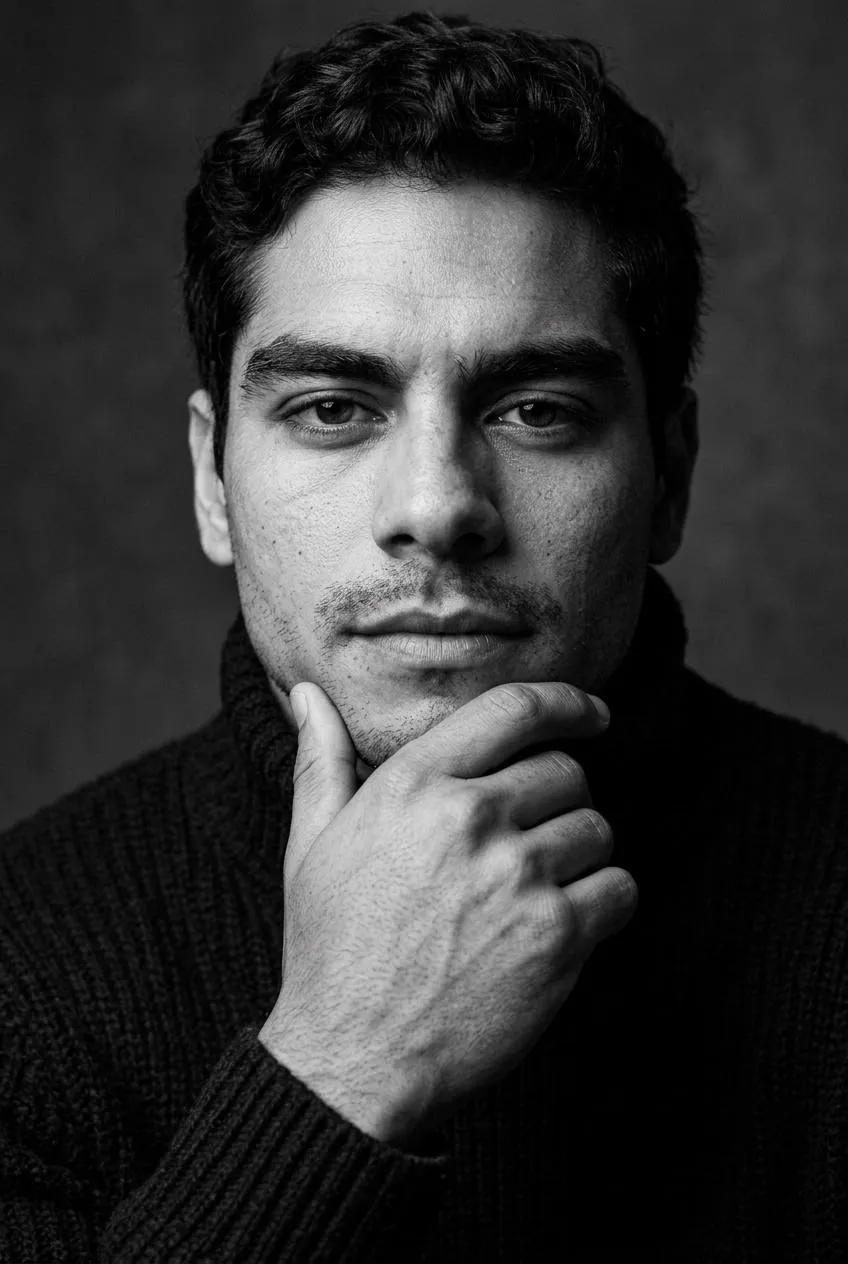
| Noir | Black turtleneck sweater |
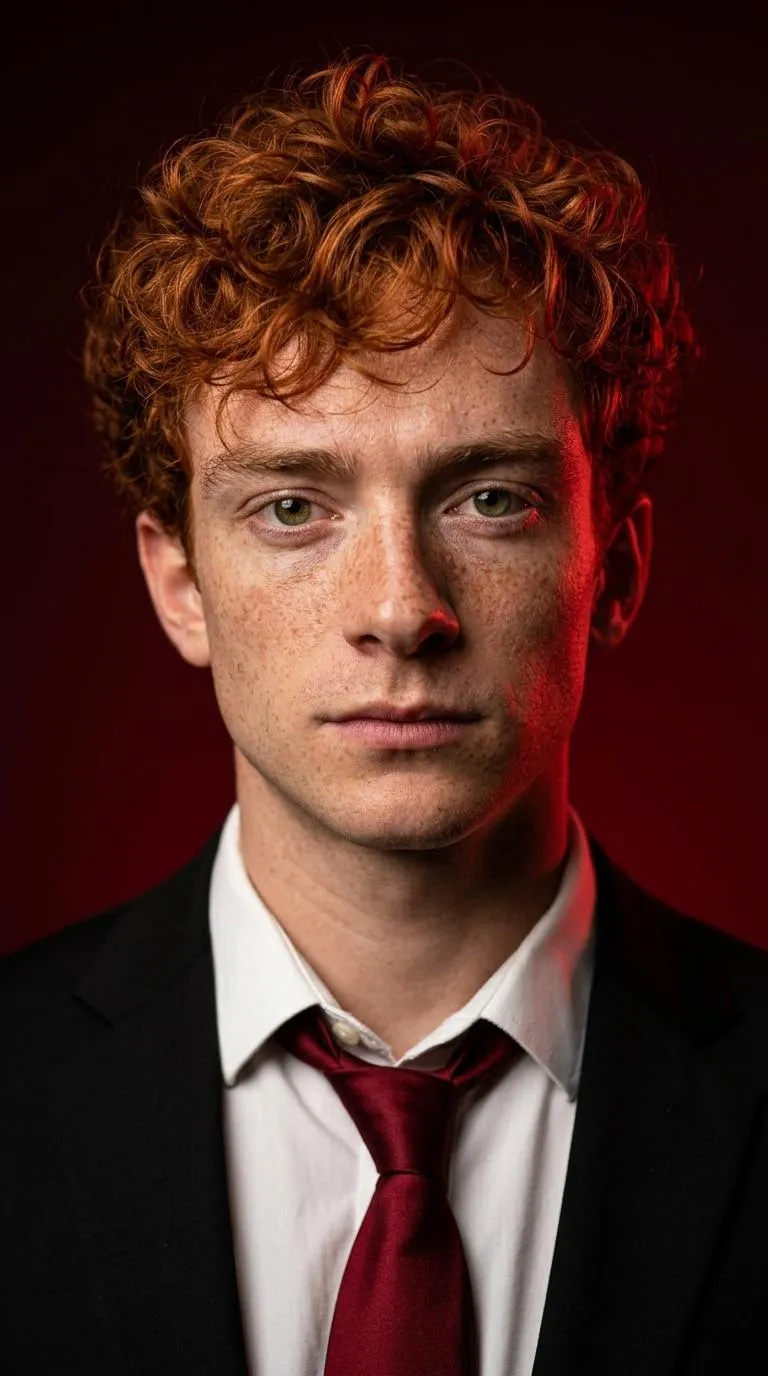
| Crimson | Black suit, white shirt and dark red tie |
| Halo | Fitted black turtleneck |
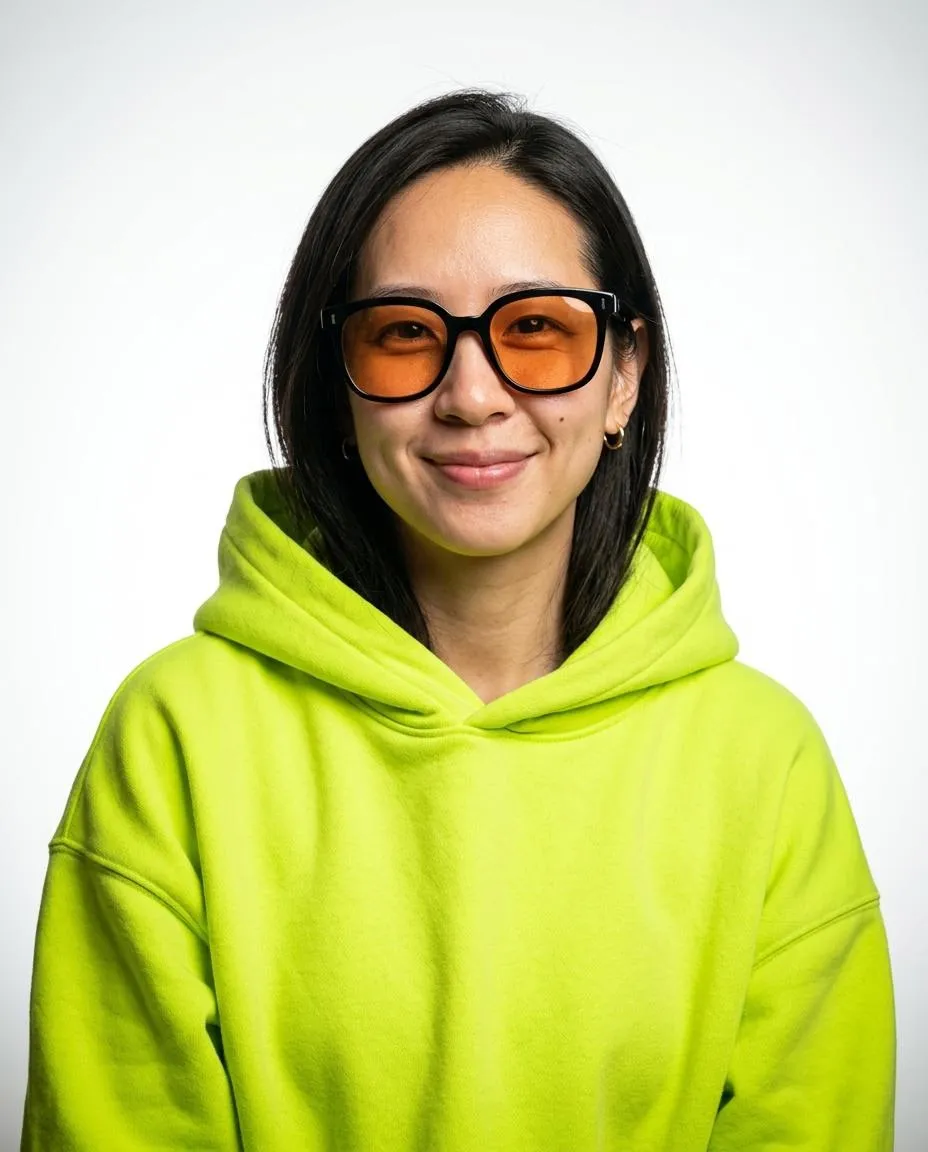
| Pop Cover | Neon hoodie and orange lens sunglasses |
| Navy wool suit jacket and white shirt | |
| Corporate | Charcoal suit jacket and cream shirt |
| Doctor | White coat, blue shirt and stethoscope |
| Lawyer | Dark charcoal suit and white shirt |
| Real Estate | Light gray blazer and white open collar shirt |
| Actor | Plain dark fitted crew neck top |
What does Actor use for clothing?
Actor uses a plain dark fitted crew neck top. Actor sets a relaxed pose against a gray studio backdrop. Check your collar and shoulders before taking the selfie. Keep hair away from your face and use even daylight so your clothing and features are clearly visible.
Which style adds a cream shirt and charcoal jacket?
Corporate sets a charcoal suit jacket over a cream shirt or blouse. The style uses a blue-gray studio gradient with the camera at eye level or slightly above. The pose uses a three-quarter view with the head turned toward the lens. Choose Corporate in the AI headshot generator for this outfit, then add your other styles before uploading your selfie.
What does the LinkedIn style put me in?
LinkedIn uses a navy wool suit jacket and white shirt against a dark gray studio background. The vertical 4:5 frame shows the portrait from mid chest up. Choose this template for a navy suit jacket and white shirt. Use a clear selfie with the face toward the lens and both shoulders visible.
How do I prepare the selfie?
Use a recent selfie in even daylight with your chin level. Remove sunglasses and hats and turn off beauty filters. Check your eyes and hairline in the preview before generating. The AI headshot generator uses the uploaded person as the reference and applies the outfit, framing and background of each selected template.
Which outfit does Lawyer use?
Lawyer sets a dark charcoal suit jacket over a white shirt or blouse. The template uses slightly angled shoulders and blurred dark wood law office bookshelves. Choose it for that combination of clothing and framing. Use the portrait beside your biography on a firm website. Keep a full JPG copy before changing the file size or crop.
What does the Real estate style use?
Real Estate sets a light gray blazer over a white open collar shirt with a bright living room blurred behind the person. It uses an open smile and a portrait framed from mid chest up. Choose the style for that indoor setting and outfit. Actor offers a plain dark crew neck top against a gray studio backdrop.
How do I choose clothing for a team page?
Choose Corporate for a shared charcoal suit jacket and cream shirt. Choose Actor for a shared dark crew neck style against a gray backdrop. Decide on the style before each person generates a set. Keep both shoulders visible in every selfie. Prepare the same final crop for everyone so the team page uses a consistent frame around each person.
Does the Doctor template add a badge?
Doctor uses a white coat over a light blue collared shirt with no badge, logo or text. It places the portrait in a bright clinic interior with a blurred background. Choose this style for that plain coat and setting. Actor uses a plain dark crew neck top when you want a style without a coat.
What do I check before uploading my outfit photo?
Check the collar, shoulders and neckline in the local preview. Each template sets the clothing in the finished portrait. Use even daylight and hold the camera at eye level with your chin level. Turn off beauty filters and keep your hands away from your face. Save the original photo before generating so you can select it again if needed.
Sources
- Professional Headshot Photo BoothUniversity of Memphis Career Services
- Portrait GuidesMercer University
- Professional HeadshotsVillanova University Career Center
- 8 Tips for Taking a Professional HeadshotRobert H. Smith School of Business, University of Maryland
- Professional HeadshotsMCPHS Career Development Center
How do I use the AI headshot generator?
Pick 3 styles and upload one selfie in the AI headshot generator. Buy credits in Pricing, accept the terms and generate. Your selected photo and styles stay in this browser when you return from payment. Download your headshots from My images and save the JPG files on your device.